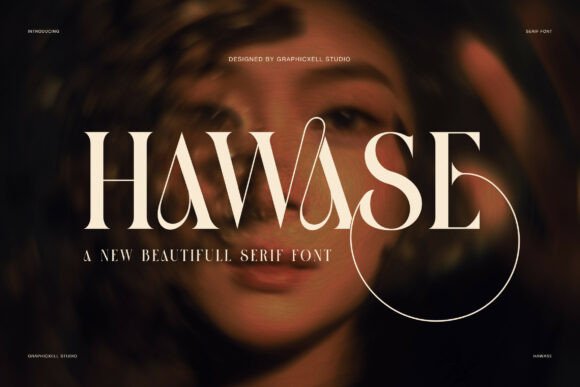
Hawase: A Bold Serif for Web Design
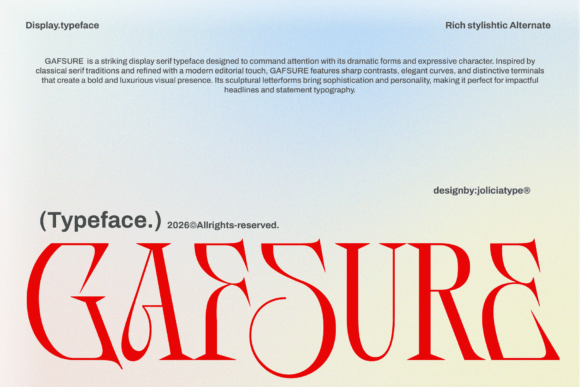
Working on a new boutique online store layout, I needed a font that could command attention without overwhelming the design. Hawase fit the bill perfectly. Its elegant serif structure with sharp edges and flowing curves gives it a dramatic presence that works well in digital spaces where visual impact matters.
A Font That Commands Attention
Hawase is more than just a typeface—it’s a statement. The combination of sharp serifs and long, decorative curves creates a sense of refinement and artistic flair. It feels modern yet timeless, making it ideal for websites that want to stand out while maintaining a professional edge.
On a hero section, Hawase draws the eye immediately. Whether used for a headline, a call-to-action button, or a brand logo, it adds a touch of sophistication that elevates the overall design. The font’s weight and spacing make it highly readable even at larger sizes, which is crucial for web usability.
Web Usability and Responsive Performance
Testing Hawase on mobile devices showed that it holds up well on smaller screens. The font’s clear letterforms ensure that text remains legible even when scaled down. This makes it a great choice for headers, navigation titles, and other key elements that need to be easily scannable.
When placed over image banners or dark backgrounds, Hawase maintains its clarity and contrast. It pairs well with light text on dark backgrounds, offering a striking visual effect that can enhance a website’s aesthetic appeal without sacrificing readability.
For responsive layouts, Hawase adapts smoothly across different screen sizes. Its consistent proportions and balanced spacing make it easy to integrate into a variety of design systems. Whether used in a portfolio site, a product landing page, or a blog header, it brings a cohesive and polished look.
Best Uses for Hawase in Digital Projects
Hawase shines in display roles rather than body text. It’s perfect for headlines, section titles, and decorative accents that need to catch the eye. For example, using it in a creative portfolio site adds an artistic touch that complements the visual content.
In a coaching website, Hawase can be used for service titles or feature highlights. Its bold fashion mood gives it a sense of authority and confidence, which aligns well with the tone of such sites. On a product landing page, it works as a strong headline that draws visitors in and sets the tone for the rest of the content.
When designing a course sales page, Hawase can be used for the main title or key selling points. Its dramatic style helps emphasize important messages, making the content more engaging and memorable for users.
Font Pairing and Design Flexibility
While Hawase is a standout display font, it works best when paired with simpler typefaces. A clean sans serif like Roboto or Open Sans can balance its ornate details, creating a harmonious visual hierarchy. This pairing is especially effective for websites that need both style and readability.
For editorial-style designs, Hawase can be paired with another serif font for a classic, refined look. In more modern contexts, combining it with a script or handwritten font can add a personal touch to digital branding.
When integrating Hawase into a brand identity, it’s important to consider the overall design language. If the brand has a minimalist or tech-focused vibe, Hawase might feel too ornate. But for brands leaning into creativity, artistry, or luxury, it can be a powerful tool for visual storytelling.
Considerations for Web Use
Before using Hawase on a website, check the available styles and weights. Some fonts offer multiple variations that can be used for different design needs. For web use, ensure that the font is available as a webfont (like WOFF or WOFF2) so it loads quickly and renders consistently across browsers.
Also, verify that the font supports the languages your site will use. Multilingual support is essential for global audiences. And if you’re using Hawase for commercial projects, confirm that the licensing allows for web deployment, especially if it’s part of a client’s site or an online store.
Finally, test Hawase in different contexts. Use it in small buttons, mobile menus, and image overlays to see how it performs. While it excels in large-scale applications, it may not be the best choice for dense text blocks or technical interfaces where clarity is paramount.